
Horizontal Scroll for Elementor
The section pins in place while its panels travel sideways as you scroll. Panels are real Elementor Containers – design them on the canvas like any other layout, set the scrolling pace, and switch to a vertical stack at any breakpoint.
- Works with Elementor free
- No code, no shortcodes
- About 5 KB, loads only where used
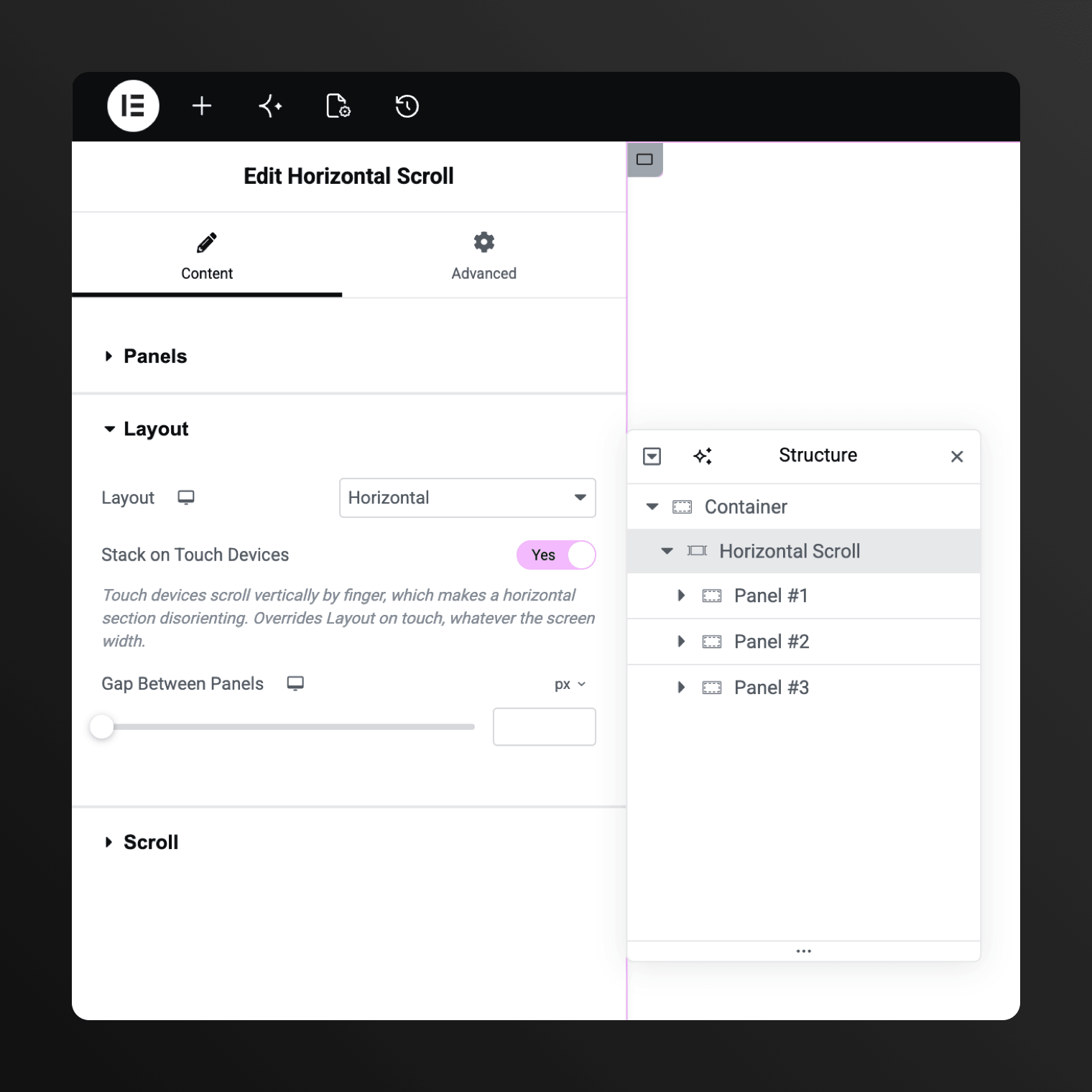
Panels are real Elementor Containers
Design them where you design everything else. A panel is an ordinary Container element. You can drop widgets in, nest layouts, style it in place as you’d like. It sits on the same nested-elements foundation as Elementor’s own Mega Menu and feels native to the usual page building workflow.
Any width per panel
One screen by default. Override any panel with the Width control – narrow cards, a double-wide image, or one long timeline.
Nothing to wire up
Add and remove panels inside the widget itself. Nothing is stored in a saved template or wired up by CSS ID somewhere else.
You see it as you build
Scroll inside the Elementor editor and the section moves exactly as it will on your live page. No previewing back and forth.
It tells you what’s wrong
If the section can't move horizontally, it points to whatever is blocking it – while you’re building, not after you publish.
Elementor Pro’s own effects keep working inside the pin
Pin a section and most Elementor effects quietly stop. They watch how far down the page an element sits, and inside a pinned section that number never changes, so they freeze. This widget fixes that and have proper integration with standard Elementor widgets and features.
Motion Effects
Horizontal Parallax
Progress Tracker
Anchor links
One-page menu
Entrance Animations
Scroll snap is the one deliberate exception
Everything above was tested. Snapping is the only thing that does not carry over, and that one is on purpose.
How to easily make a horizontal scrolling layout in Elementor
Install the Plugin
Search and install “Arts Horizontal Scroll for Elementor” from the WordPress.org directory and activate it on your website.
Enable Nested Elements
Ensure to switch this on in Elementor → Settings → Features → Nested Elements. Otherwise the widget won’t appear.
Drop the Widget
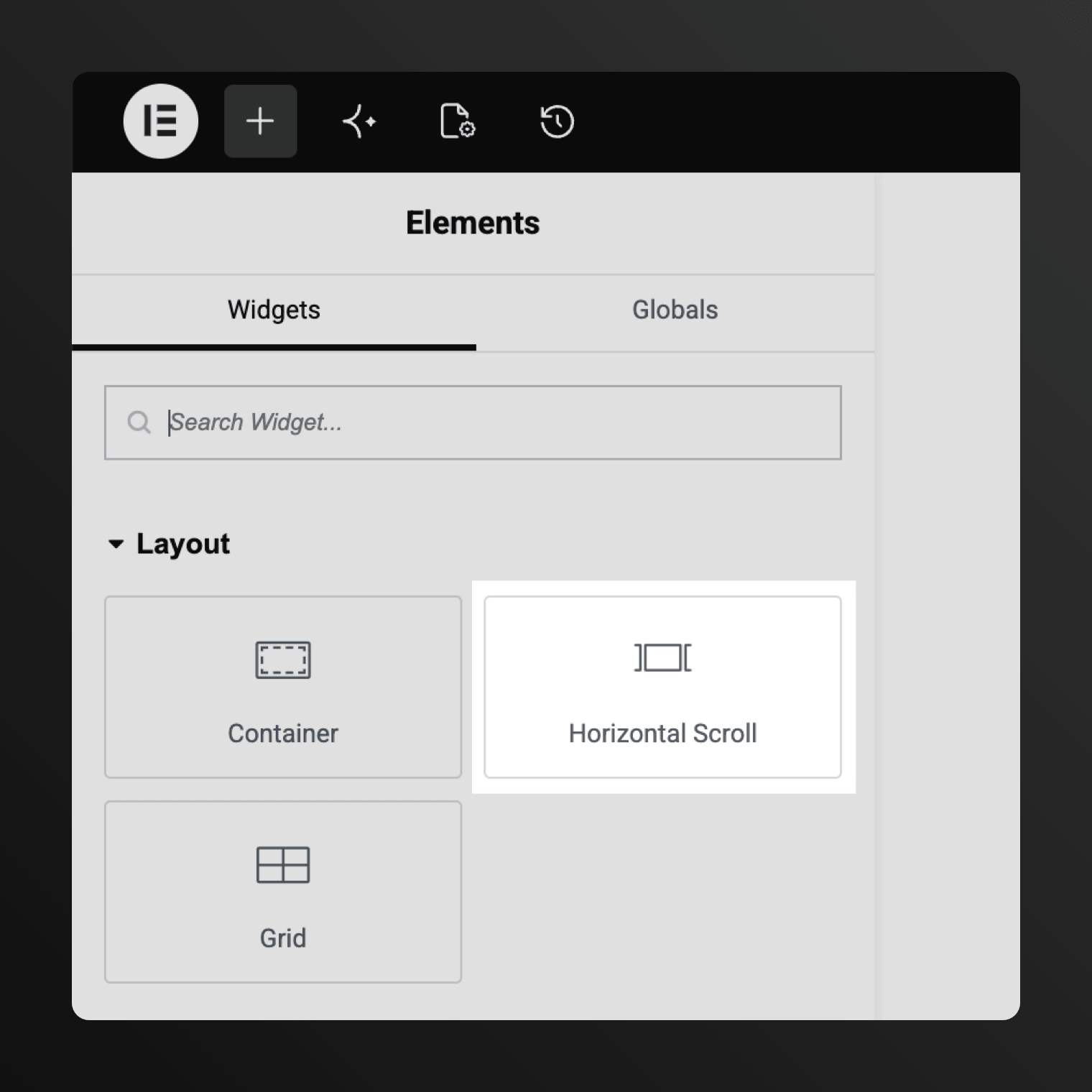
Find the Horizontal Scroll widget under “Layout” tab in Elementor sidebar and drag it onto the page.
Fill the Panels
Start designing by adding a panel for each screen and build inside it exactly like any other Container. No need to learn new workflows.
Free plugin, paid add-on, or pasted code?
Every way to build a horizontal scrolling section in Elementor, compared on cost, where you design the panels, and what happens on a phone.
| Solution | Cost | Horizontal Panels Design | Scripts | Mobile Devices |
|---|---|---|---|---|
| 🏆 Arts Horizontal Scroll for Elementor | CostFree | Horizontal Panels DesignDesign on the canvas, like any section | ScriptsMaintained; free updates through WordPress | Mobile DevicesVertical stack by default |
| Elementor Pro motion effect | CostPro | Horizontal Panels DesignMoves one element; can’t hold a layout | ScriptsMaintained by Elementor team | Mobile DevicesSame as desktop |
| CSS “rotate: 90deg” hack | CostFree | Horizontal Panels DesignRotates everything, header included | ScriptsBreaks on theme and Elementor changes | Mobile DevicesNeeds special handling |
| GSAP tutorial or JS snippet | CostFree | Horizontal Panels DesignPaste code, re-tune when content changes | ScriptsCan break anytime once CSS classes change | Mobile DevicesNeeds special handling |
| The Plus Addons * | Cost≈ $39/yr | Horizontal Panels DesignDesign elsewhere, then pick from a list | ScriptsUpdates while the subscription runs | Mobile DevicesFallback off by default |
| Premium Addons * | Cost≈ $41/yr | Horizontal Panels DesignBuild elsewhere, wire it up by ID | ScriptsUpdates while the subscription runs | Mobile DevicesHorizontal by design |
| Element Pack * | Cost≈ $49/yr | Horizontal Panels DesignBuild sections first, match IDs by hand | ScriptsUpdates while the subscription runs | Mobile DevicesNot stated |
* Checked against each vendor’s own documentation and presentation, September 2026.
A storytelling section, not a slider
The missing snap is deliberate. The sites people point at when they ask for this effect read as one continuous move through a story. Snap it to stops and you have built a slide deck instead.
What it does
- Panels at any width
- Several sections on one page
- Right-to-left on its own
- Links straight to a named panel
- Sections shorter than the full screen
- An offset so a sticky header doesn’t cover the top
What it doesn't
- Snap to panels.
- Render dots, arrows or a progress bar
- Turn a whole page horizontal
- Run parallax inside panels without Elementor Pro
Add Custom Animations and Advanced Effects
Native CSS scroll-driven animation – view-timeline and animation-timeline – with a Web Animations API (WAAPI) polyfill where the browser lacks support. The section publishes its named timeline, per-panel ranges and a small JavaScript API, so a progress bar, custom navigation or your own scroll-driven animation can ride the same scroll as the panels.
FAQ
Is Horizontal Scroll for Elementor really free?
Yes. There is no Pro version and nothing is locked: one plugin, every feature included. It lives in the WordPress.org plugins directory and is available to download without a paywall.
Do I need Elementor Pro to use this?
No. Free Elementor is the only requirement, and the scrolling behaves the same with or without Pro. Pro is supported alongside it rather than needed for it – you’d only want it for Pro widgets or Pro’s Scrolling Effects inside your panels.
Isn’t this just Elementor Pro’s Horizontal Scroll?
Pro’s Horizontal Scroll is a motion effect on a single element, and it never pins anything. It also runs out of room: the distance is Speed × 100px, so even at maximum the element moves 1000px in total. A four-panel full-width track needs several times that. This builds a whole pinned section instead, and measures the travel from the real width of your panels.
Can I build a horizontal scroll section without a plugin?
You can, and plenty of tutorials show how: give each panel 100vw, make the track sticky inside an over-tall wrapper, then paste in JavaScript that maps scroll onto it. The catch is upkeep. That wrapper height is hand-tuned, so it drifts whenever the content changes – which is where the blank space after the last panel comes from. Elementor updates have broken those snippets more than once.
Does it use GSAP? Will it slow my site down?
No GSAP, no jQuery, no animation library at all – the browser moves the panels itself with native CSS scroll-driven animation. The whole front end is about 5 KB gzipped, and it only loads on pages that actually use the widget. Firefox and older Safari fetch a small polyfill; everywhere else it’s pure CSS.
Is this a slider or a carousel?
Neither. A carousel moves when you click an arrow or drag it. This one moves with the page scroll, and it never takes over your wheel, trackpad, touch or keyboard. Scrolling works exactly as it always did; the section maps part of that scroll to sideways movement while it’s pinned.
What can I put inside a panel?
Anything you can put in a Container in Elementor! Because that’s what a panel is: Flexbox or Grid, nested layouts, any widget, free or Pro. You build it on the canvas like the rest of the page. Elementor’s Nested Elements feature needs to be switched on, and the plugin prompts you if it isn’t.
What happens on phones and tablets?
By default the section becomes a vertical stack on touch devices, so panels turn into normal full-width blocks. Keep the horizontal scroll on touch if you want it, or force the vertical layout at any breakpoint – it reads your site’s own Elementor breakpoints. A separate switch covers coarse-pointer devices, so a large tablet (e.g. 12.9-inch iPad Pro) can stack even though its width says desktop.
Can panels have different widths?
Yes. Panels default to one screen wide, and the Width control overrides any of them. Mix narrow cards with a double-wide image, or give one panel a timeline that runs well past the edge of the screen.
The scroll feels too fast. What do I change?
Scroll Length. It sets how much page scroll the section consumes, so raising it stretches the same journey over more scrolling. Height is a different setting: the pinned area the panels fill, not the distance they travel. Adding panels won’t slow it down either – the section just gets taller, and each panel still takes the same amount of scroll to cross.
Will an Elementor update break it?
Nobody can promise never, so here’s the honest version. Copy-paste tutorials break often because they hook onto Elementor’s page markup and class names, and those change. This is built on Elementor’s widget API and the same nested-elements foundation as Elementor’s own Mega Menu. It’s maintained, and the changelog is public.
Does it snap to each panel?
No, and that’s deliberate. Panels move continuously with your scroll, the way the sites people point at when they ask for this effect do. Snap it to stops and you’ve built a slide deck. It also means no dots and no arrows: if you want a slider, better to use a slider.
Can I link to a specific panel?
Yes. Give the panel, or anything inside it, a normal CSS ID and link to it with a standard anchor. The page scrolls to where that panel sits on stage, both on click and when someone opens a URL that already carries the link. With Elementor Pro’s menu, one-page highlighting follows the panel in view.
Does it work on RTL and multilingual sites?
Yes. On an RTL page the section mirrors itself, and a Direction control overrides that when a design needs it. WPML, Polylang, TranslatePress and Weglot need no setup, because panels are ordinary Containers with no widget text of their own to register.
Will it clash with my theme or other plugins?
It’s built to stay out of the way. There’s no animation library to collide with your theme’s scripts, and smooth-scrolling libraries like Lenis are picked up automatically. Elementor Pro’s Scroll Snap keeps working on the rest of the page, because the section takes itself out of the snap sequence instead of fighting it.
Two things do break the pin: Pro’s Sticky on the widget, and Position set to fixed or absolute. The plugin will display a warning if it can’t pin the section, naming the element that needs fixing.
Is horizontal scrolling bad for UX or SEO?
It may be suboptimal when a whole site navigates sideways. That’s where the usual complaints come from: people can’t predict it, phones fight it, and opening links in new tabs stops behaving. One pinned section inside a normal page avoids all of that. For SEO, panel content is ordinary page markup – crawlable, linkable, and there whether or not the effect runs.
My page has an unwanted horizontal scrollbar. Is that this?
No, that’s the opposite problem: something on your page is wider than the screen. Usually one element with a fixed width, a negative margin, or an image spilling over. Elementor’s guide Horizontal scrollbar on mobile devices walks through finding it, and their common mobile layout issues page covers the usual causes.
Where do I get help?
The WordPress.org support forum. Please include your WordPress and Elementor versions, what you expected, and what happened instead.
Built to work together
Check out four more free WordPress plugins from the same shelf. Each one does something specific inside a pinned section.

Color Switcher for Elementor
Switches the whole site between light and dark themes, or swaps the palette as you scroll.

Smooth Scrolling for Elementor
Makes the page glide instead of jump when people scroll. Turn it on and your horizontal section moves with the same eased feel, nothing to set up.

Header Engine for Elementor
Build sticky, transparent or hide-on-scroll headers in Elementor. Your horizontal section then pins neatly below the header instead of sliding behind it.

Immersive Lightbox for Elementor
Full-screen galleries that open with a smooth animation rather than a jump. Photos inside your panels open cleanly, even while the section is pinned.
Take your Elementor layouts sideways
One widget, every feature, nothing held back for a paid tier. Install it from the WordPress.org directory and build your first section in a few minutes.

Built by Artem Semkin, who makes creative themes and a shelf of free plugins for WordPress.