
Free Plugin
Repeater Tags for Elementor & ACF
Elementor's dynamic tags can't see inside an ACF repeater. This adds them – pick the repeater, pick the row, pick the sub-field, and the value lands in the control you're editing.
Why can't Elementor see my ACF repeater?
Elementor’s dynamic tags only reach top-level custom fields. A repeater is a container, and the tag picker never looks inside one – the sub-fields you built and filled simply aren’t offered. There’s no error and no explanation, which is why most people assume they’ve misconfigured the field group.
Until now, getting something like “the second image of that repeater” into a section background meant a PHP snippet in the child theme, a shortcode pasted into a text widget, or buying a whole add-on bundle for one missing feature. This plugin closes the gap with native dynamic tags instead: the same picker and the same workflow you already use, now aware of repeater rows.
How do I show a repeater row in Elementor?
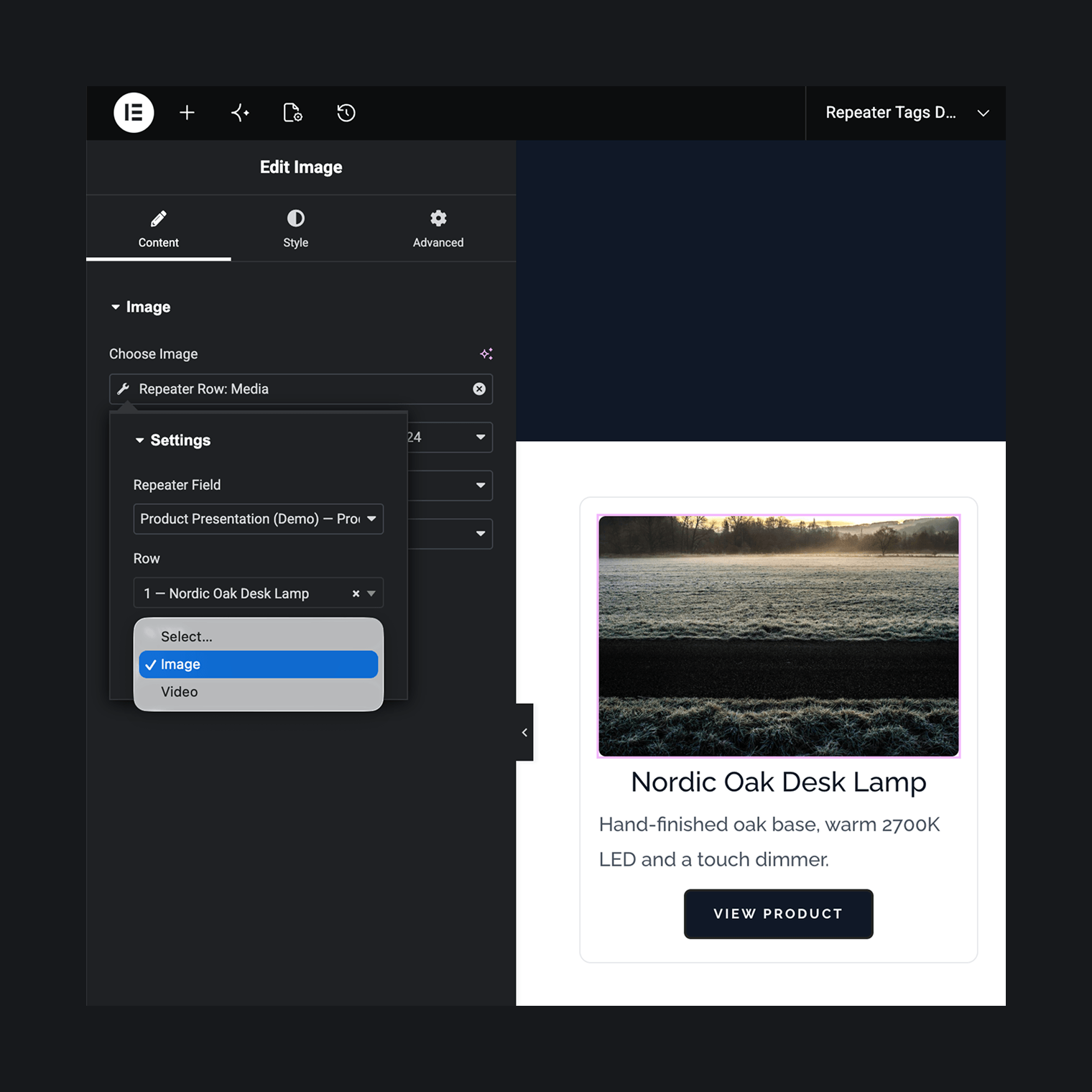
The plugin has no settings screen. Activate it and a “Repeater Tags” group appears in the dynamic-tag picker, right inside whatever control you’re editing. Nothing gets placed on the page, and there’s no loop template to keep in sync.
Pick the repeater
Every ACF repeater and flexible-content field on the site is listed, whichever post it’s attached to. Repeaters on an ACF options page are marked “(Options)”.
Pick the row
Rows are labelled by their content, so you can tell them apart. Address any row by index – or “Last row”, which keeps tracking the final row as editors add more.
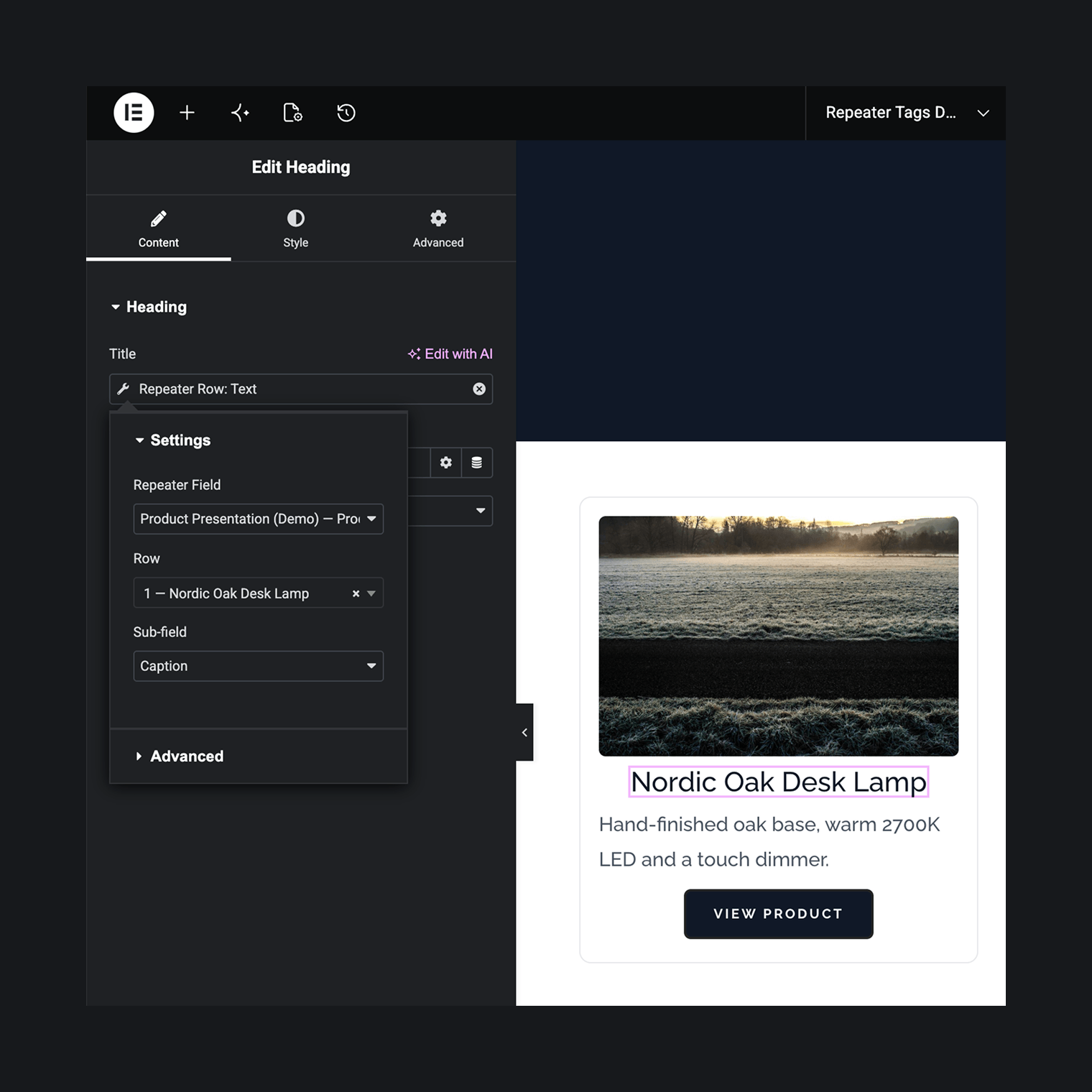
Pick the sub-field
The dropdown lists only sub-fields this tag can render. The value lands in the control, live in the editor preview.
Questions. Answered.
What happens when rows are reordered in wp-admin?
Addressing is positional. A tag pointed at row 2 shows whatever sits in row 2 right now, not what was there when you picked it. ACF rows carry no stable IDs, so pinning a row by its content isn’t possible. “Last row” is the exception, and it’s usually the one you want — it always follows the final row.
What if I delete the row a tag points at?
Nothing breaks and nothing is silently reset. The picker keeps your setting and labels it “Row 3 (not on preview post)” so you can see what happened.
Why does the picker say “No rows found on this post”?
Rows are read from the current context — the post you’re editing, or whatever “Preview Dynamic Content as” points to in a Theme Builder template. If that target has no saved rows, there’s nothing to list. Add rows to it, or point the preview at a post that has some. On the frontend, a tag renders empty where rows are missing.
Does it work on archive templates?
Taxonomy-term and author archives do — the tag reads the repeater from the queried term or user. A custom post type archive has no single post to read from, so it isn’t supported.
ACF Pro or Secure Custom Fields — does it matter?
No. Both provide the repeater field type and both behave identically here. Free ACF has no repeaters, so with it the picker has nothing to list.
With repeat mode, why does a page show more cards than “posts per page”?
Pagination counts posts, not cards. If a post’s repeater holds five rows, that post contributes five cards — so a page of ten posts can render far more than ten cards.
Free, on WordPress.org
Free, with no pro tier waiting inside it. Install the plugin, open the tag picker, and your repeater is finally there. It comes from the same workshop as the portfolio themes – built for the sites they power.